
PUBG Erangel Map Overview 2026
Reference view of Erangel terrain, roads, and compound locations. Use the other layers for focused map markers.
Find PUBG Erangel secret basement entrances, key locations, vehicles, and loot zones on an interactive map. Zoom, pan, and switch layers in your browser.
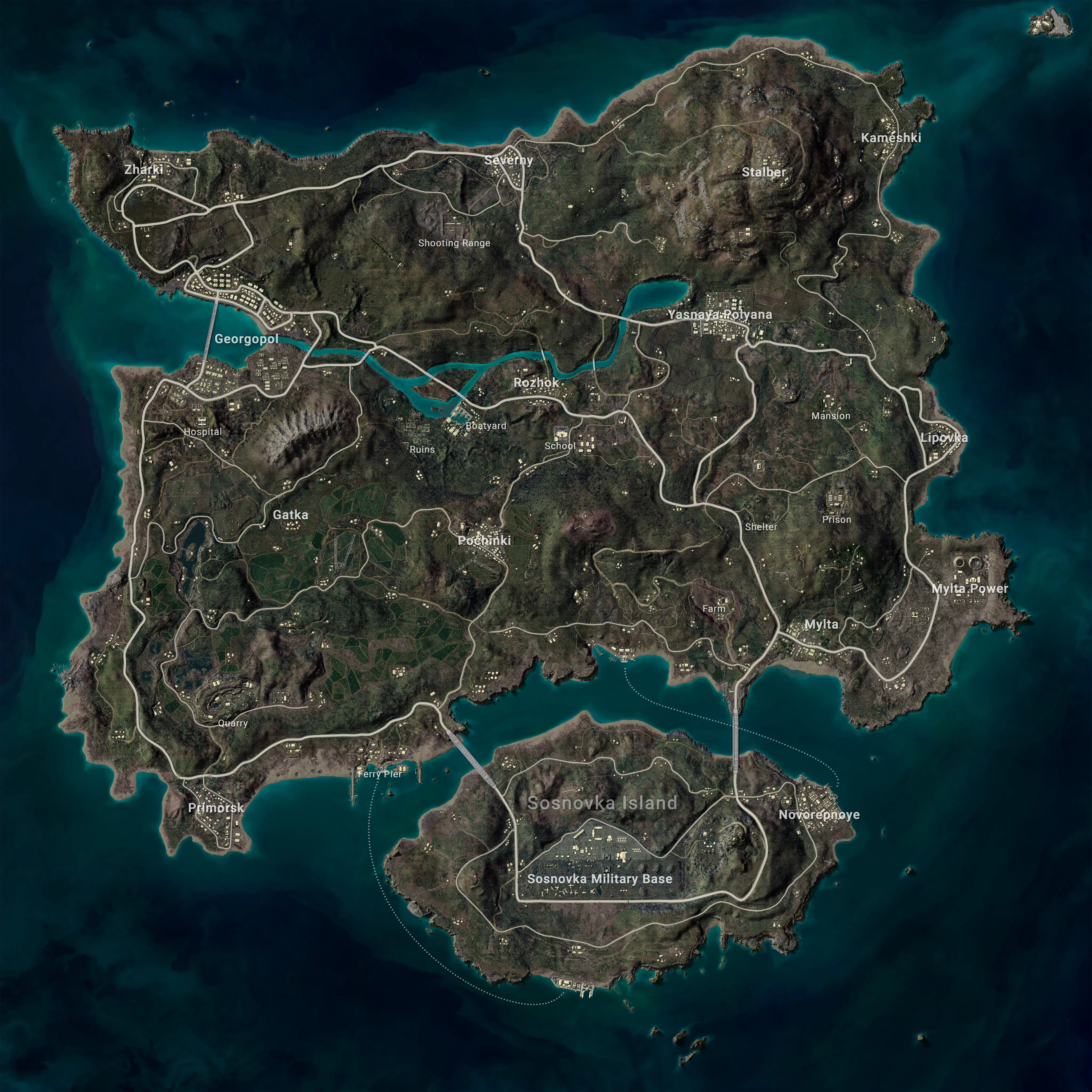
Scroll to zoom / Drag to pan. Click "Fullscreen" for team strategy review.
Reference view of Erangel terrain, roads, and compound locations. Use the other layers for focused map markers.
Explore static Taego reference layers for secret rooms, vehicles, and marked loot areas. Pan, zoom, and compare the map with your current PUBG match.
View static Vikendi reference layers for bear caves, Lab Camps, transit, vehicles, and marked loot areas. Pan and zoom without live match data.
Explore static Rondo reference layers for security areas, shops, vehicles, and marked loot zones. Pan, zoom, and verify locations in your current match.
Find Miramar secret room locations added in PUBG Update 41.2. Zoom the static map, compare landmarks, and learn how Secret Room Keys work.
This tool is a static reference map built from pre-rendered Erangel map images. Selecting a layer changes the displayed reference image, while zoom, pan, reset, and fullscreen controls help you inspect it.
It is not a live game-data feed and does not calculate key probabilities, loot odds, or routes. Basement access, keys, vehicles, and loot may vary by match and game update, so verify important details in the current game and official PUBG patch notes.
Choose the "Secrets & Keys" layer. It displays the basement-entrance and key-location reference markers included in this map.
The map shows reference points, not guaranteed key spawns. Key availability may vary by match and game update.
No. It is a static reference map and does not connect to live PUBG match data.
Yes. The viewer supports touch panning and zoom controls on mobile devices, as well as reset and fullscreen actions.
No account or game-file upload is required. Layer switching and map-view controls run in your browser.
Select the "Overview" layer, then use Reset if you want to restore the default zoom and position.